
Creating Mocks
Flags
Flags are key-value state that survives across requests. They are what turn Mocko from a canned-response server into something that can simulate real behavior: toggling an outage, remembering an update, walking a job through its statuses. By the end of this page you will know all four flag helpers and how to organize flag keys.
A switchable outage
The fastest way to understand flags is to build a switch. One mock flips it, another changes behavior based on it:
mock "POST /outage/{state}" {
  format = "json"
  body = <<-EOF
    {{#is request.params.state 'on'}}
      {{setFlag 'outage' true}}
    {{else}}
      {{delFlag 'outage'}}
    {{/is}}
    { "outage": "{{request.params.state}}" }
  EOF
}

mock "GET /payments/{id}" {
  format = "json"
  body = <<-EOF
    {{#hasFlag 'outage'}}
      {{setStatus 503}}
      { "error": "Payment provider unavailable" }
    {{else}}
      { "id": "{{request.params.id}}", "status": "approved" }
    {{/hasFlag}}
  EOF
}The state changed between two identical requests. That is the whole point of flags, and it works because flags are shared by all mocks on the instance and persist until deleted or expired.
The four helpers
{{setFlag 'key' value}}stores a value. Renders nothing. An optional third argument sets a TTL in milliseconds:{{setFlag 'otp' 1234 60000}}expires after a minute.{{getFlag 'key'}}reads a value. An unset flag renders as an empty string, so pair it withdefaultwhen you need a fallback:{{default (getFlag 'name') 'John'}}.{{hasFlag 'key'}}returns true or false, made for block position:{{#hasFlag 'outage'}}...{{/hasFlag}}.{{delFlag 'key'}}deletes a flag. Renders nothing.
$variables reset on every request. If you only need a value within one response, use a variable. Reaching for setFlag as a template-local temporary is a classic mistake: the value will still be there on the next request.Organizing keys
Flag keys are plain strings, and a : separator gives them structure: the Mocko UI displays users:42:name as nested folders, users / 42 / name. Build keys dynamically with append and store them in a variable so each key is written once:
{{= $nameKey (append 'users:' request.params.id ':name')}}
{{setFlag $nameKey request.body.name}}
"{{getFlag $nameKey}}"
Remembering an update
Put those pieces together and a pair of mocks can simulate a mutable resource. The PUT stores the new values, and the GET serves them with defaults until an update happens:
mock "PUT /users/{id}" {
  format = "json"
  body = <<-EOF
    {{= $nameKey  (append 'users:' request.params.id ':name')}}
    {{= $emailKey (append 'users:' request.params.id ':email')}}
    {{setFlag $nameKey  request.body.name}}
    {{setFlag $emailKey request.body.email}}
    {
      "id": "{{request.params.id}}",
      "name": "{{getFlag $nameKey}}",
      "email": "{{getFlag $emailKey}}"
    }
  EOF
}

mock "GET /users/{id}" {
  format = "json"
  body = <<-EOF
    {{= $nameKey  (append 'users:' request.params.id ':name')}}
    {{= $emailKey (append 'users:' request.params.id ':email')}}
    {
      "id": "{{request.params.id}}",
      "name": "{{default (getFlag $nameKey) 'John Doe'}}",
      "email": "{{default (getFlag $emailKey) 'john@example.com'}}"
    }
  EOF
}
This pattern scales into full create-read-update-delete simulations; the Stateful CRUD recipe builds the complete version.
Flags in the UI
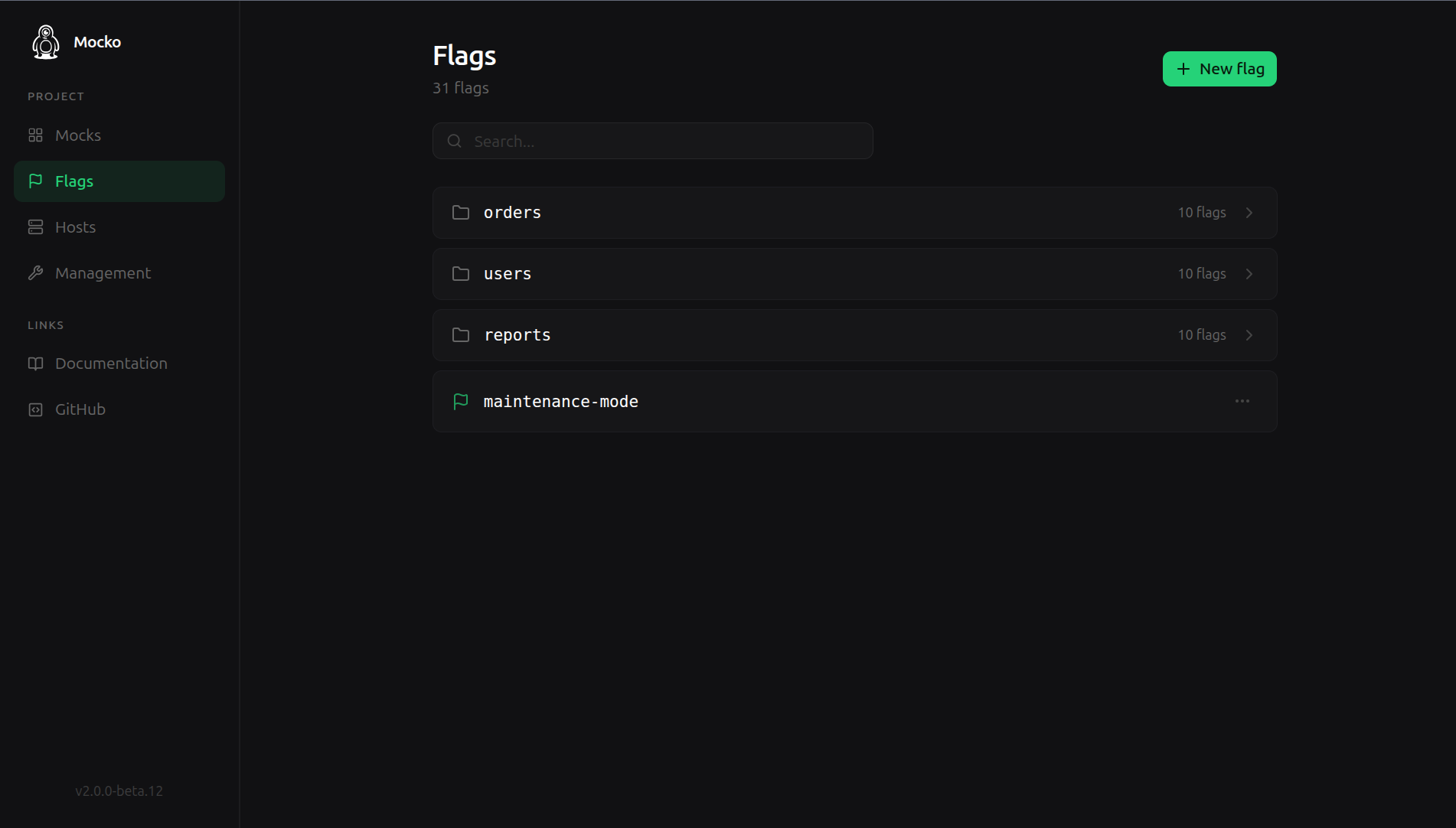
The control panel has a flags section where you can browse the folder tree, inspect values, edit them, and delete them. Editing a flag from the UI is often the quickest way to steer a scenario mid-test: flip the value and the very next request sees it.
Flags from outside the instance
Flags are also exposed through a small HTTP API on the mock server itself, and Mocko ships a zero-dependency JavaScript SDK on top of it. That is how automated tests set up scenarios: the test sets a flag, calls the system under test, and asserts on the result. See Testing with the SDK.
Behavior details
- In the default storeless mode, flags live in memory and reset when Mocko stops. With Redis they persist across restarts and are shared between replicas. See Persistence and Redis.
- Flags are instance-wide. Two developers hitting a shared Mocko deployment see the same flags, which is a feature for team scenarios and something to keep in mind for parallel test runs: prefix keys with something unique per run when isolation matters.
setFlagcan store objects, such asrequest.body. Render one back with thejsonhelper:{{json (getFlag 'user')}}.
Next
Mocks and state cover the fake side. Continue to Proxying and Hosts to blend mocks with real backends.